Appium Configuration
Set up an Appium Configuration
Follow the steps below to create an Appium configuration in INGenious.
-
Click on the Configuration icon

-
In the Manage Devices tab, click the
+icon beside the Device dropdown, and enter the name of the Appium Configuation you want to create and hit Enter -
Inside the same tab, you can set your Appium Capabilities/Options and Remote URL/Appium from the textbox. By default, it's set to
http://127.0.0.1:4723/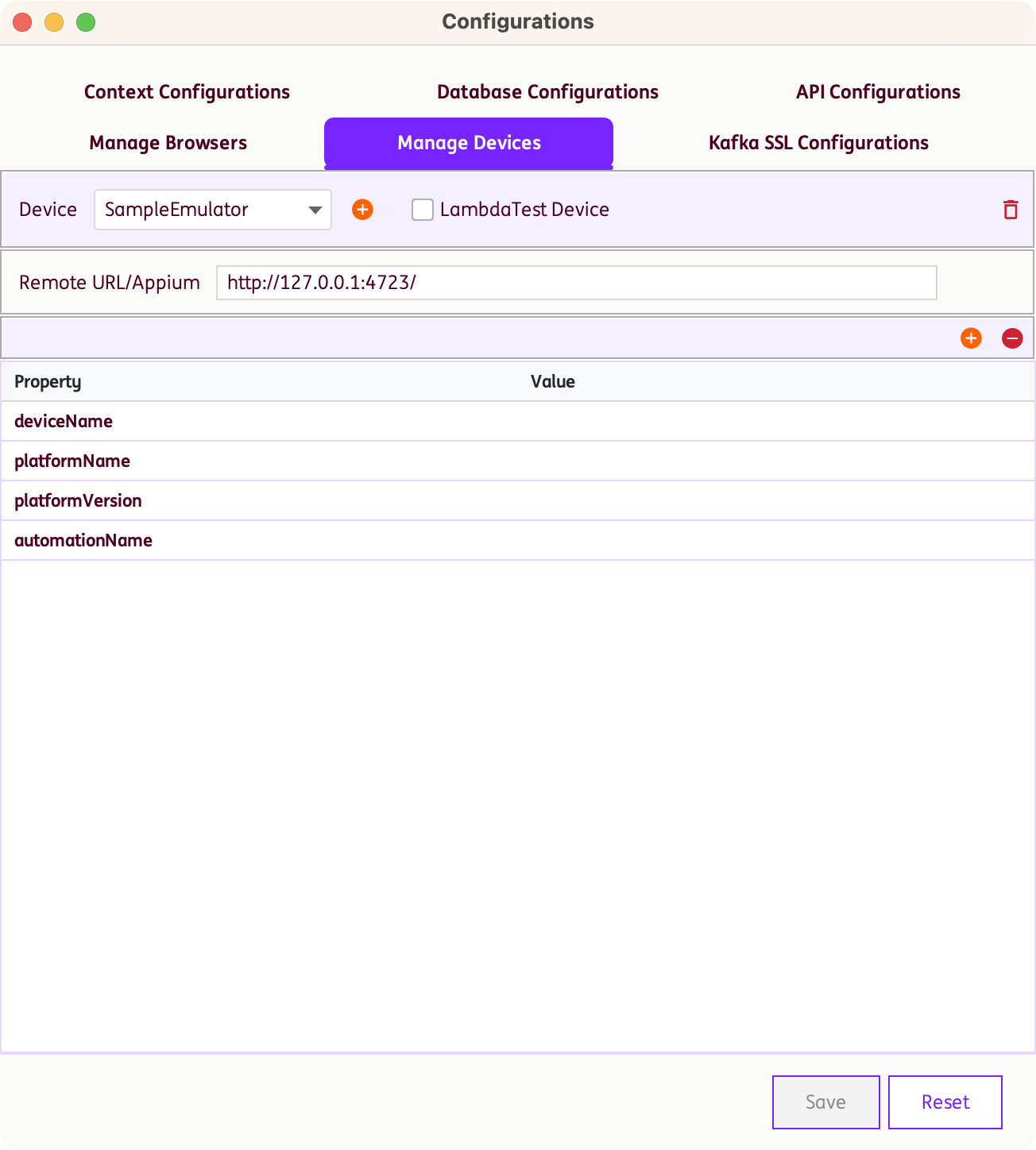
-
By default,
automationName,deviceName,platformNameandplatformVersionare the required key-value pairs for Appium configuration when creating new emulators. Additional Appium configurations can be included as needed. -
Click on Save button to save your Appium Configuration.
Note: Make sure you have already tested your configurations from Appium Inspector. See section Appium Inspector for more details.
Sample Emulator Configurations
Sample Android Emulator INGenious Configurations
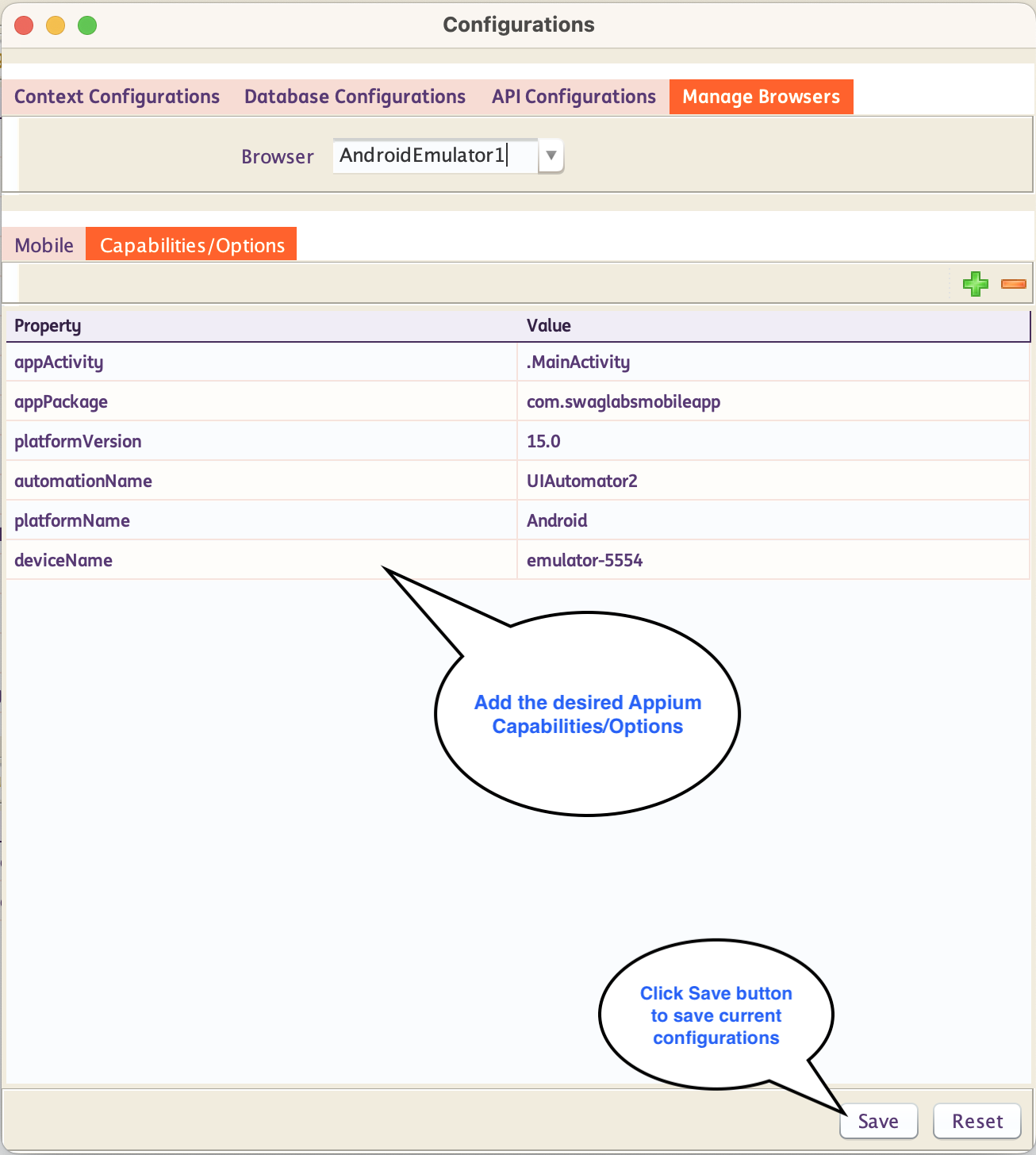
Sample Android Appium Capabilities Set
Sample iOS Emulator INGenious Configurations
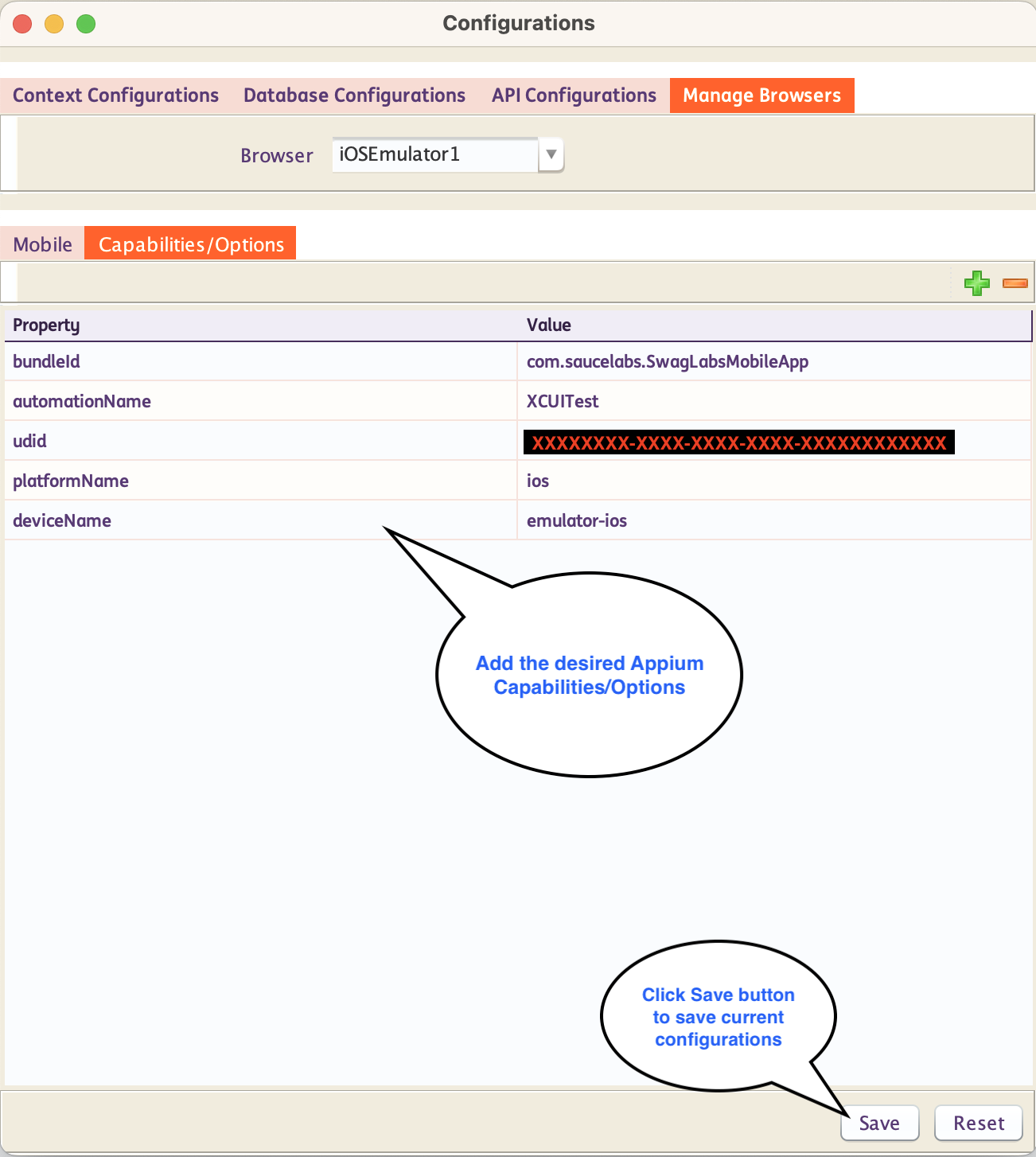
Sample iOS Appium Capabilities Set
Sample Lambda INGenious Configurations
Remote URL
Note: Make sure you have an active account in TestMu AI / LambdaTest
Your remote url to make connection with LAMBDATEST is your connection URL with combination of your Lambda Username, Access key and extends with @mobile-hub.lambdatest.com/wd/hub
-
For this example, remote url is set to
https://<UserName>:<AccessKey>@mobile-hub.lambdatest.com/wd/hub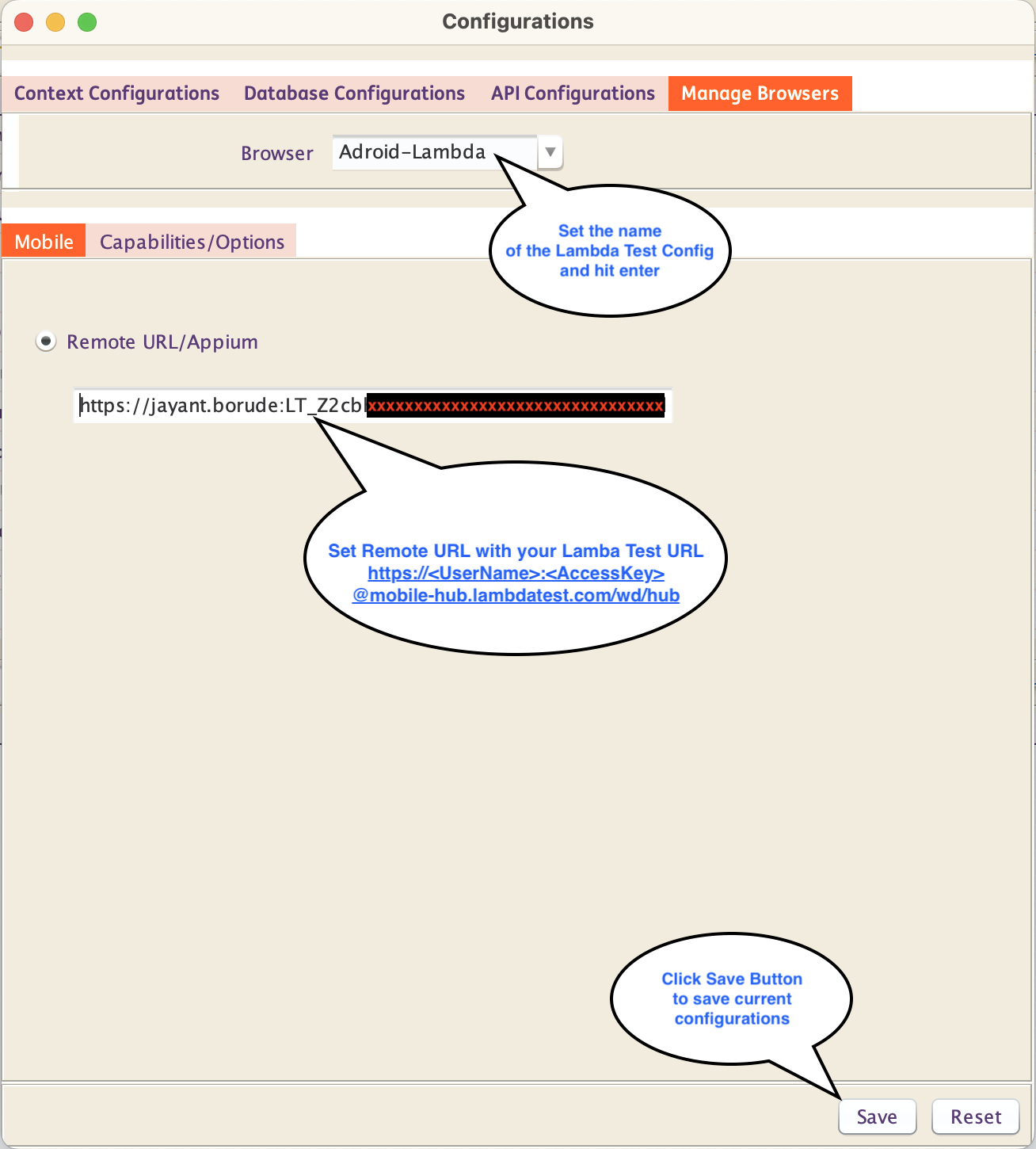
-
To get your Username and Access Key
- Login to LAMBDATEST Portal, go to Home > Account Settings > Password & Security
-
Under Username and Access Key, copy Username and Access Key as shown from example
https://<UserName>:<AccessKey>@mobile-hub.lambdatest.com/wd/hub.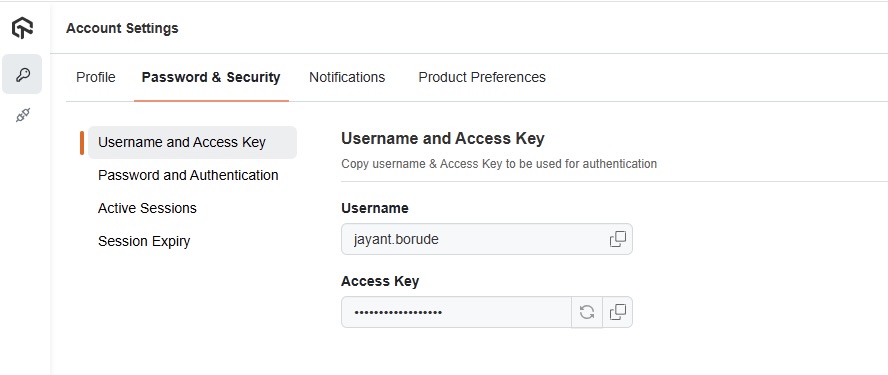
Appium Capabilities/Options
-
For this example, you can set the capabilities as seen below:
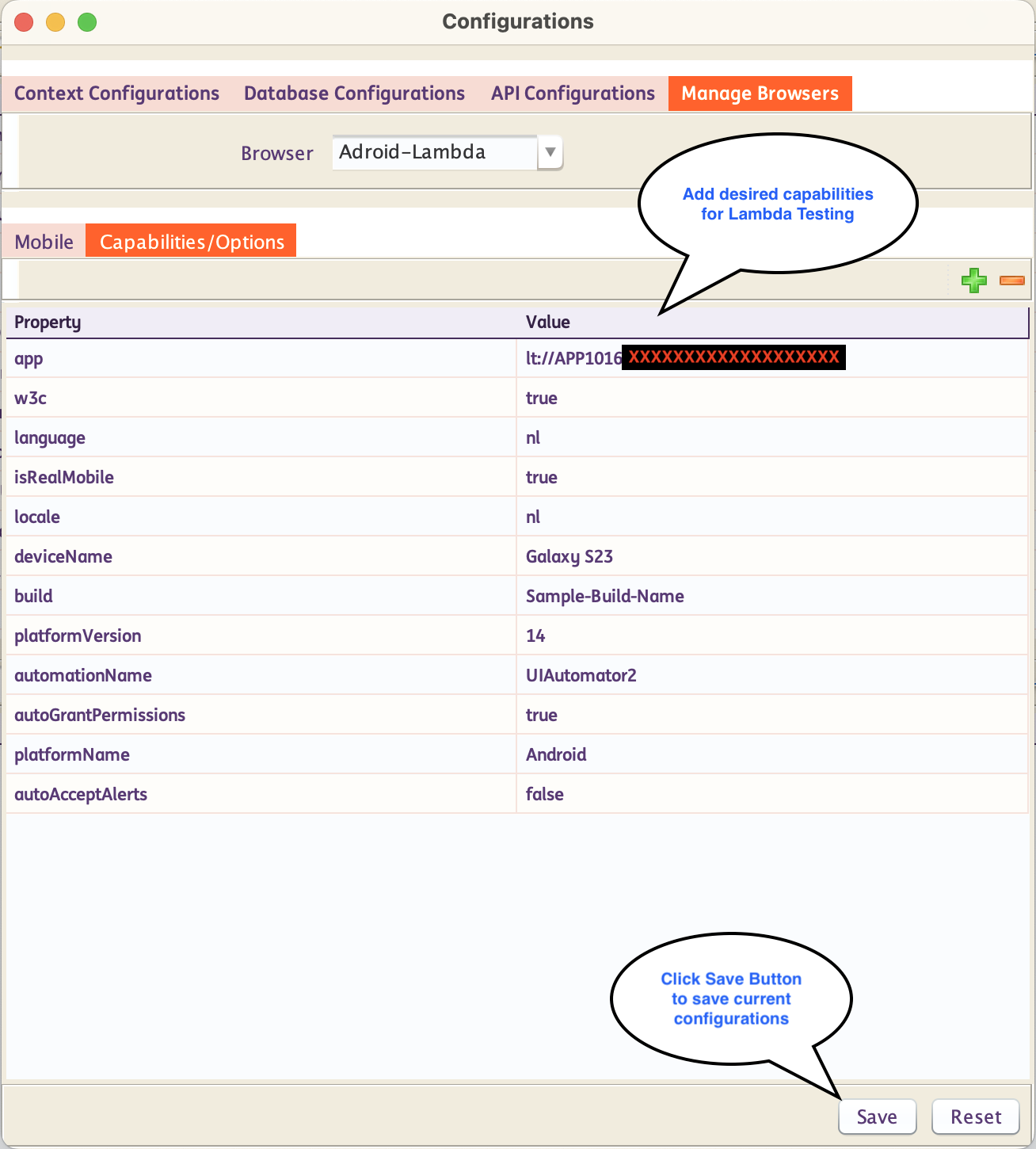
-
To get
appcapability- To load application and get App Id, follow step from Lambda Official Documentaion
-
For Android Mobile in LAMBDATEST, you can use capabilities
automatorNameasUIAutomator2platformNameasAndroidplatformVersionas the Android platform version you want to use
-
For iOS Mobile in LAMBDATEST, you can use capabilities
automatorNameasXCUITestplatformNameasiOS
-
You can also add your other desired capabilities for LAMBDATEST.
- For more information related to capabilities, you can visit Desired Capabilities for LAMBDATEST
- To check capabilites, you can visit Lambda Test Automation Capabilities Generator Tool
Sample LAMBDATEST Appium Capabilities Set