SAP Objects Repository
Info
The SAP Object Repository (SAP OR) in INGenious provides a centralized and reusable location for storing SAP UI elements used in automated tests. Instead of manually defining SAP element locators in test steps, the repository allows teams to store, manage, and maintain selectors in one place for SAP testing.
Key Benefits:
- Centralized element management – All SAP objects live in one organized repository.
- Reduced duplication – Reuse element definitions across test suites and frameworks.
- Maintainability – Update a selector once and apply the change everywhere.
- Consistent naming and structure – Standardized element definitions promote cleaner automation design.
Object Repository Structure
SAP OR follows a structure identical to Web OR:
```
├── ProjectName
│   ├── PageName1
│   │   └── ObjectName1
│   └── PageName2
│       ├── ObjectName1
│       └── ObjectName2
```
- A project may contain multiple Pages, and each Page can hold multiple Objects, each representing a SAP screen or UI section.
- Page names must be unique within the project.
- Object names must be unique within their respective page.
-
A SAP Object consists of a set of attributes that define how it can be uniquely identified on a device:
Attribute Description Example Value id Element id of the SAP Object in SAP GUI wnd[0]/tbar[0]/btn[3] name Element name of the SAP Object in SAP GUI ctxtVDARL_BUKRS Text Element text value of the SAP Object in SAP GUI Some text value
Project and Shared SAP OR
INGenious supports the same two‑repository model for SAP OR as it does for Web OR:
-
Project SAP OR
Contains SAP objects that can be used within the project and managed from the
Projecttab within the OR panel.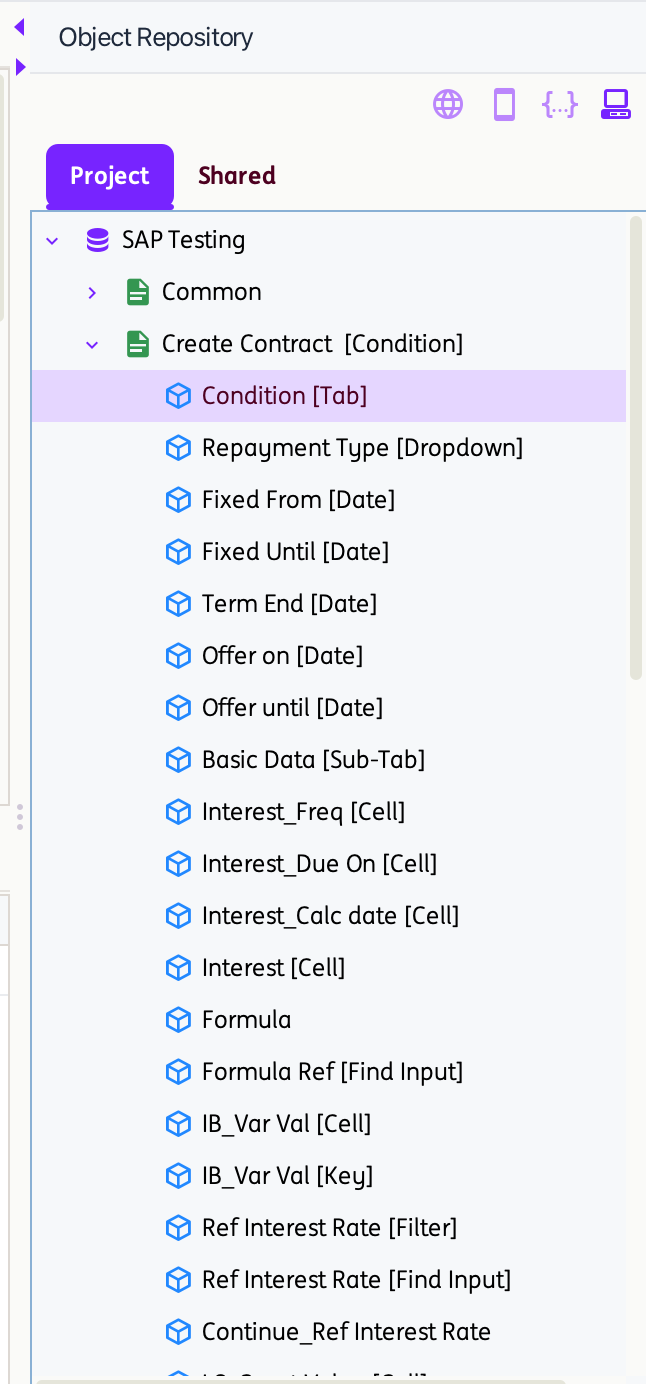
For projects created before version 3.0, an
SapOR.objectfile is automatically generated whenever a project containing Objects is saved. It stores the Page and Object attributes in XML format and is located inside the respective project directory.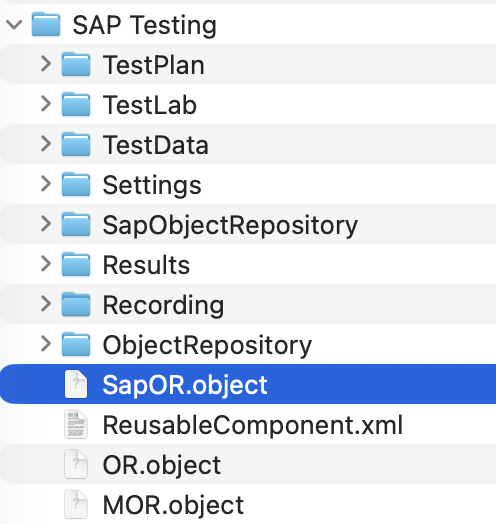
For projects created in version 3.0, a YAML file is automatically generated for each page at the time of page creation. This file contains the objects within the page along with their corresponding attributes and is stored in the project’s directory
<ProjectName>\ObjectRepository\SAP\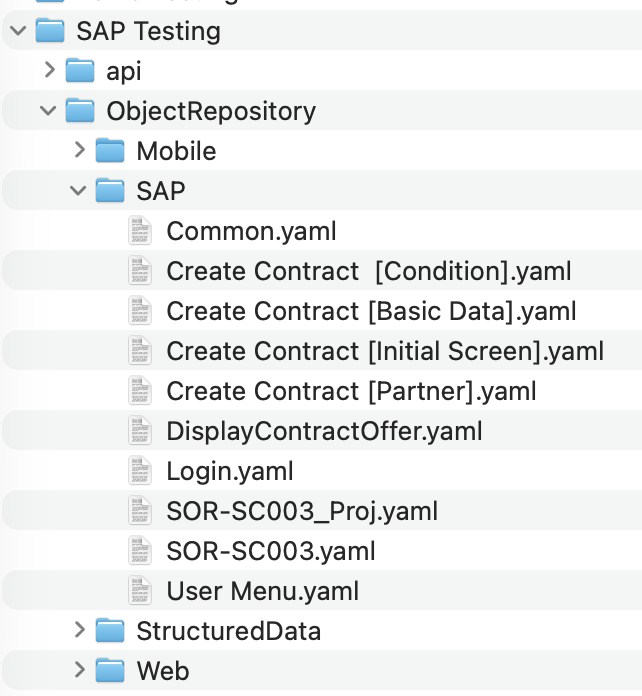
For projects loaded in version 3.0, legacy
.objectfiles are automatically converted to YAML and reorganized into the new folder structure. The original.objectfiles are preserved as.bakfiles under<ProjectName>\ProjectXMLOR\.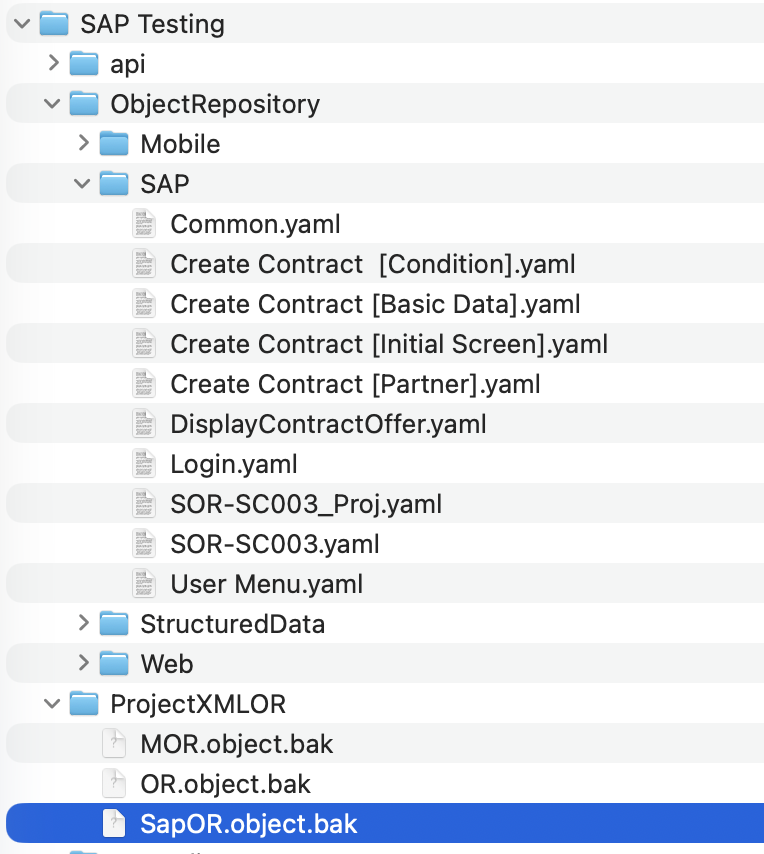
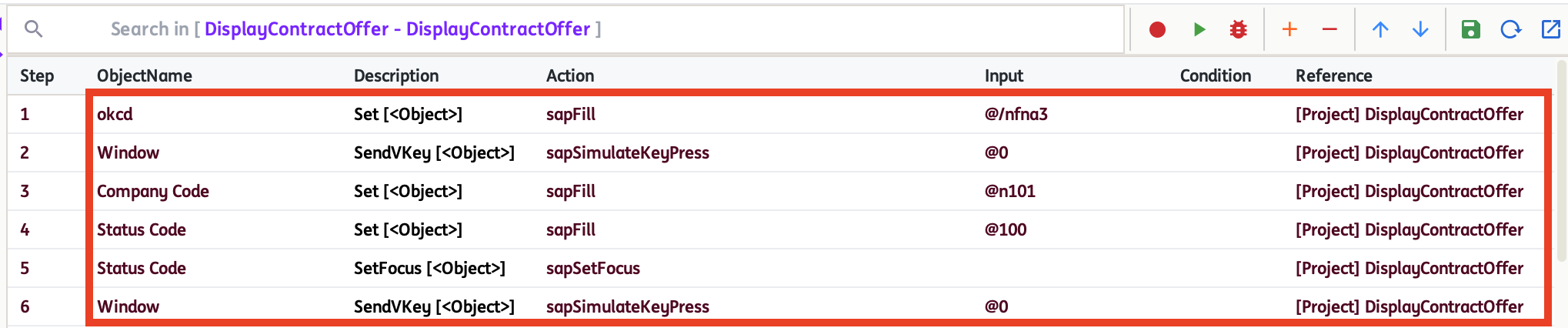
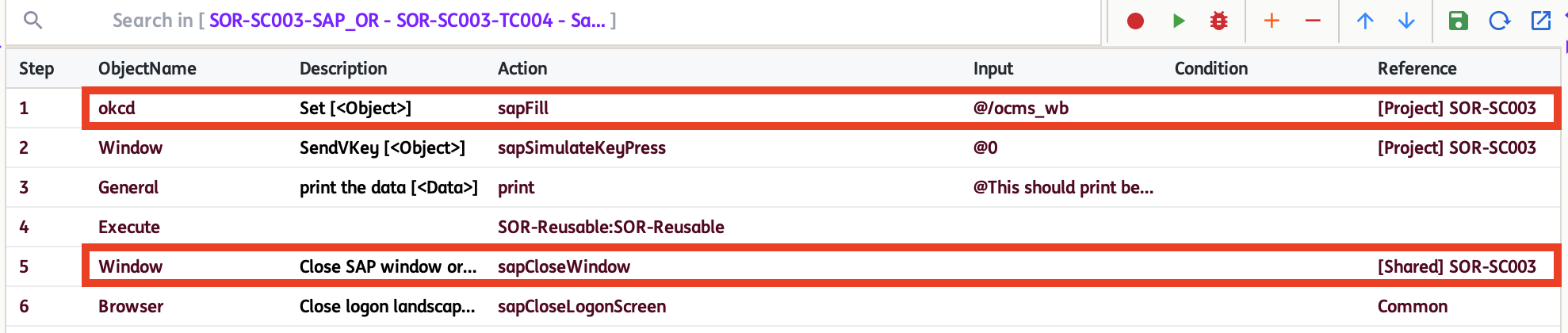
When a Project SAP Object (PSPO) is used in a test step, the identifier [Project] PageName will show as its reference.
-
Shared SAP OR
Contains SAP objects that can be used across different projects and are managed from the
Sharedtab within the OR panel.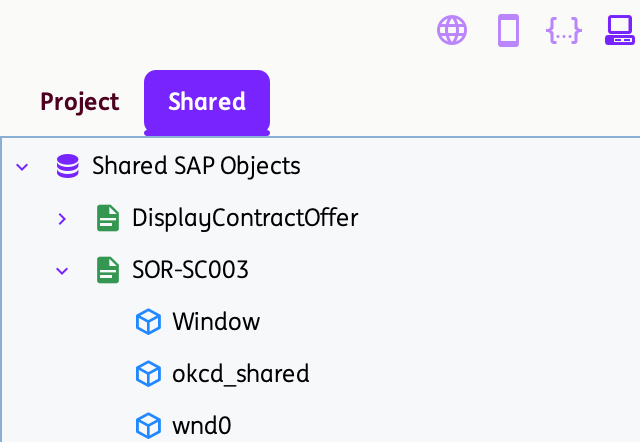
For projects created in version 3.0, a YAML file is automatically generated for each page—either upon page creation under
Sharedor when pages or objects are moved fromProjecttoShared. This file contains the page’s objects and their corresponding attributes and is stored in theShared\SharedObjectRepository\SAPdirectory. Thesapor-projectsdata.yamlfile maintains the list of projects that use the Shared SAP Objects.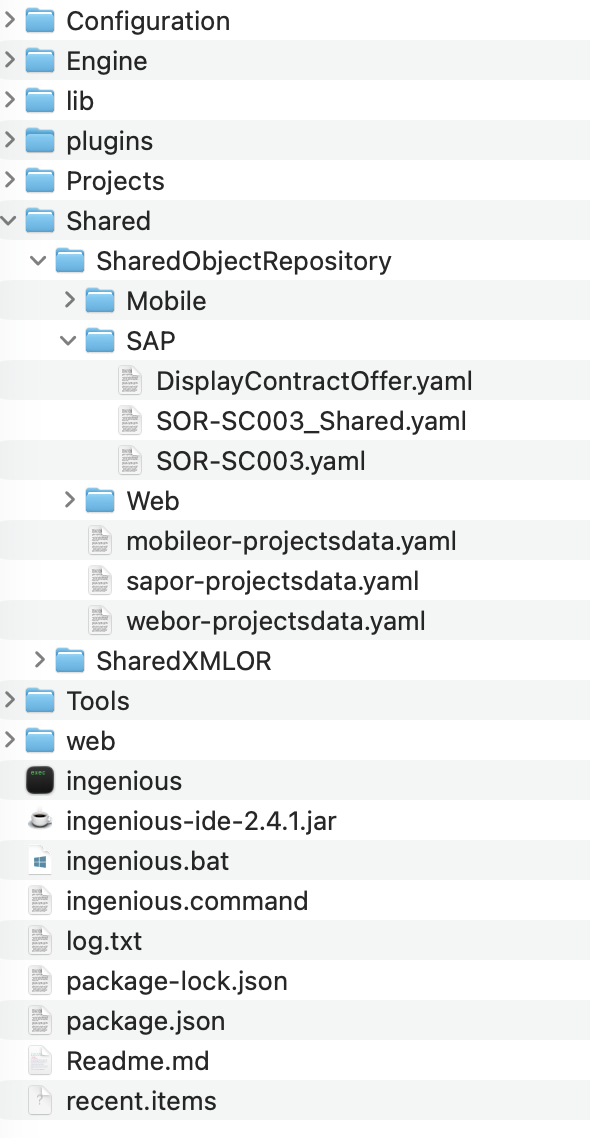
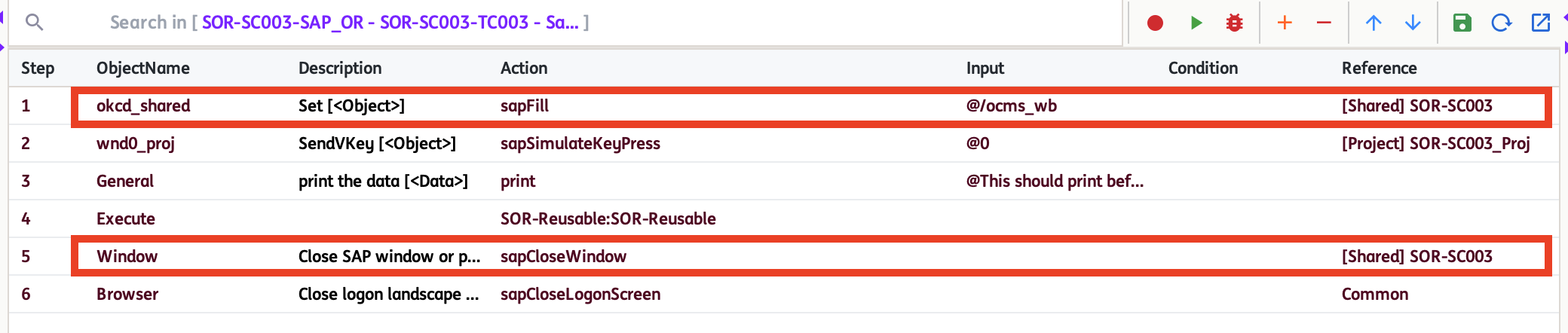
When a Shared SAP Object (SSPO) is used in a test step, the identifier [Shared] PageName will show as its reference.
How to use Project and Shared SAP OR
-
Pages and Objects can be added directly within the Project and Shared repositories using the
Add PageorAdd Objectoptions. -
Objects from Project and Shared SAP OR can be used in a single Test Scenario.
For example:
-
For version 3.0, the
Move to Sharedoption is introduced as a new feature for SAP. This allows you to move an entire Page (along with all its Objects and attributes) or a single Object (and its corresponding Page) from the Project repository to the Shared repository. Note: Existing test steps that reference a Project-level SAP Object (PSPO) will be automatically updated to use the Shared SAP Object (SSPO) after moving within the opened project.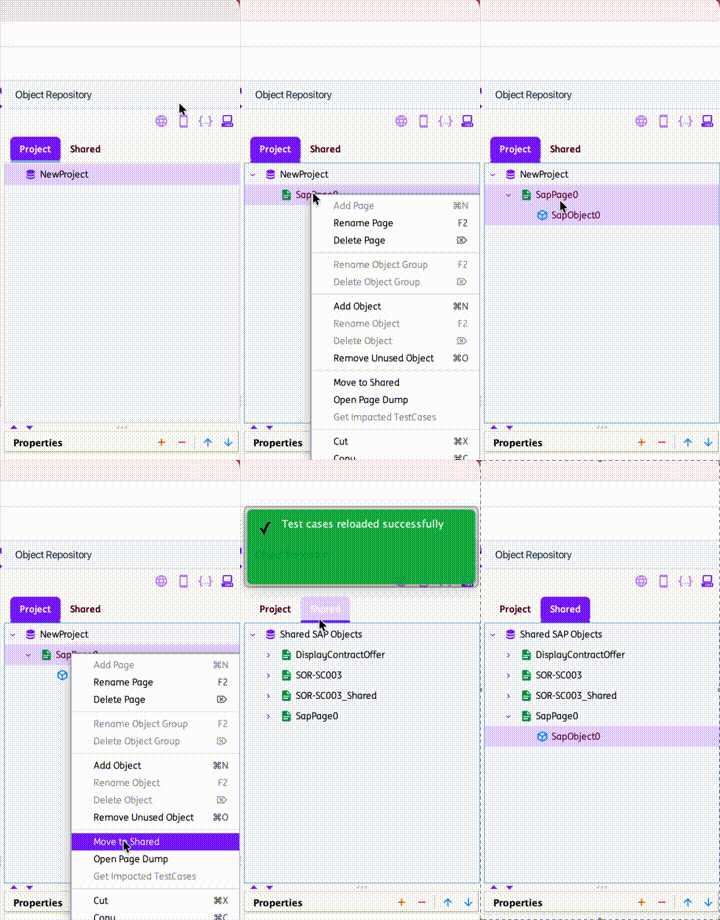
-
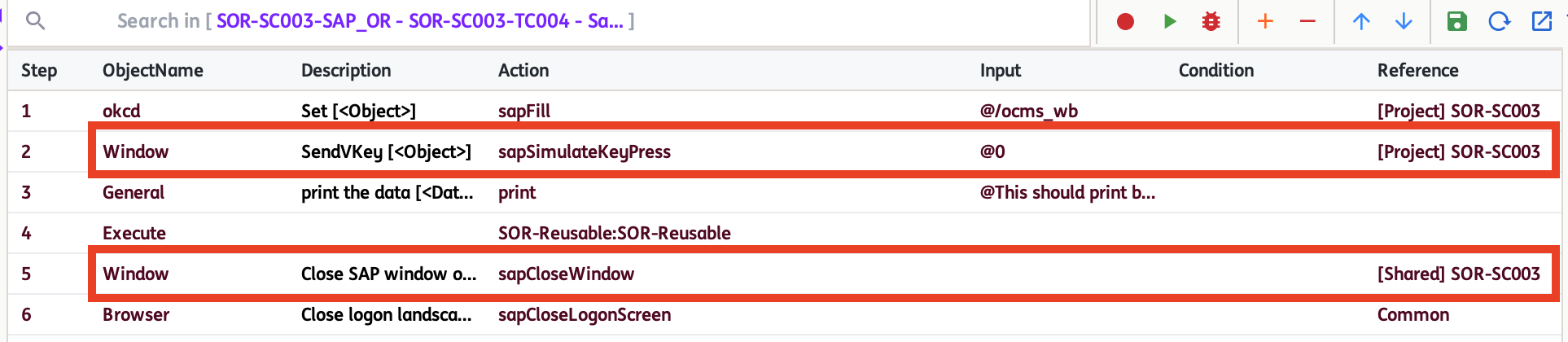
Pages and Objects may share the same names across the Project and Shared repositories. However, names must remain unique within each individual repository.
-
Pages and Objects in both the Project and Shared repositories can be renamed using the
Rename PageorRename Objectoptions. However, after renaming, any existing test steps that previously referenced an SSPO will continue to use its old name, which may result in errors during test execution. -
Pages and Objects in both the Project and Shared repositories can be deleted using the
Delete PageorDelete Objectoptions. However, once deleted, any existing test steps that previously referenced an SSO or PSPO will still attempt to use the removed Page or Object, which may result in errors during test execution. -
To view all test cases that reference an Object within the project, use the
Get Impacted Casesoption. This feature is available for both Project and Shared repositories.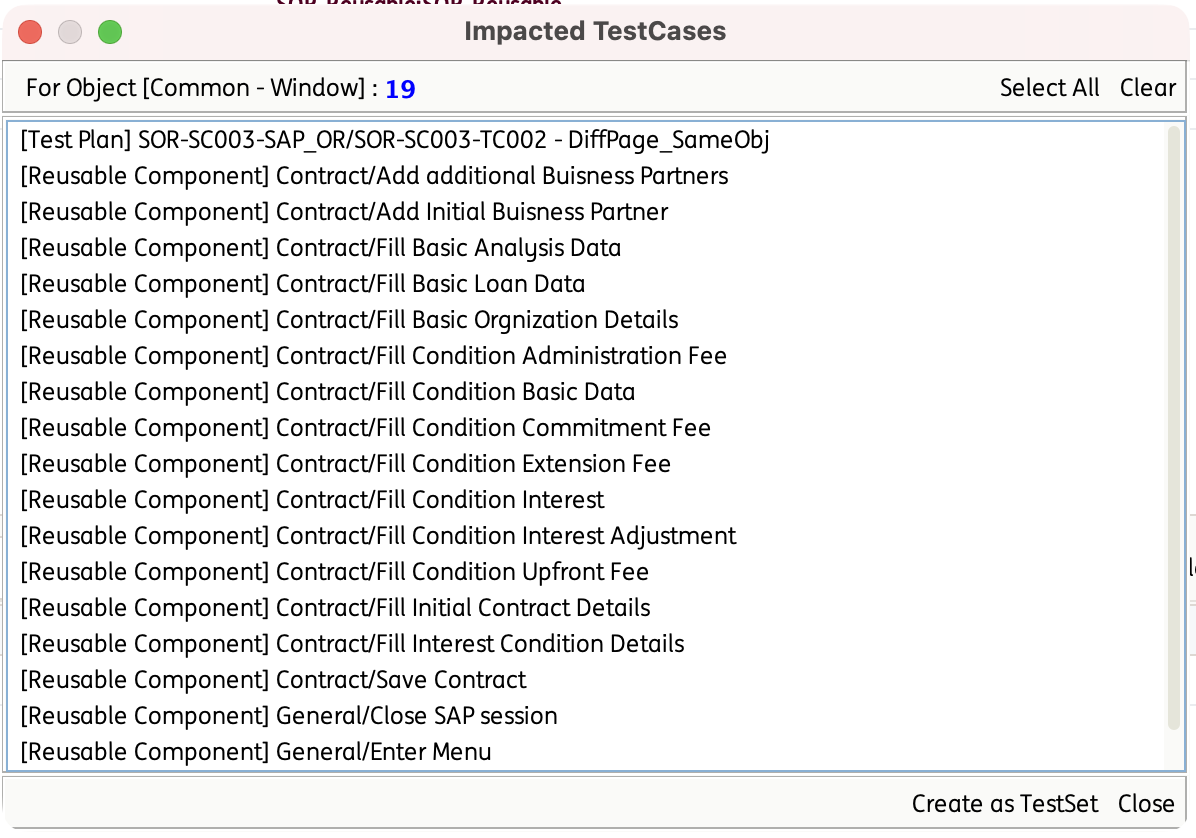
Suggestion: Before renaming or deleting an object, please use the
Get Impacted Casesoption for checking.